AI Image to Video FAQ
Answers about free credits, prices, models, photos and your account. Cannot find yours? Write to support@ai-image-to-video.io.
Three answers most people need first
Is it free?
10 credits after you verify your email, plus up to 18 a week from the daily check-in. Both are for images only. Videos start at 15 credits.
What does a video cost?
It depends on the model, and you see it on the button. Smallest pack: $9.90 for 600 credits.
 MiniMax H3 5 s · sound 15
 Seedance 2 Mini 5 s · sound 30
 Hailuo 2.3 6 s 66
 Kling 4.0 5 s · sound 180
Which photo works best?
One clear subject with room to move. A crowded street leaves the model guessing.
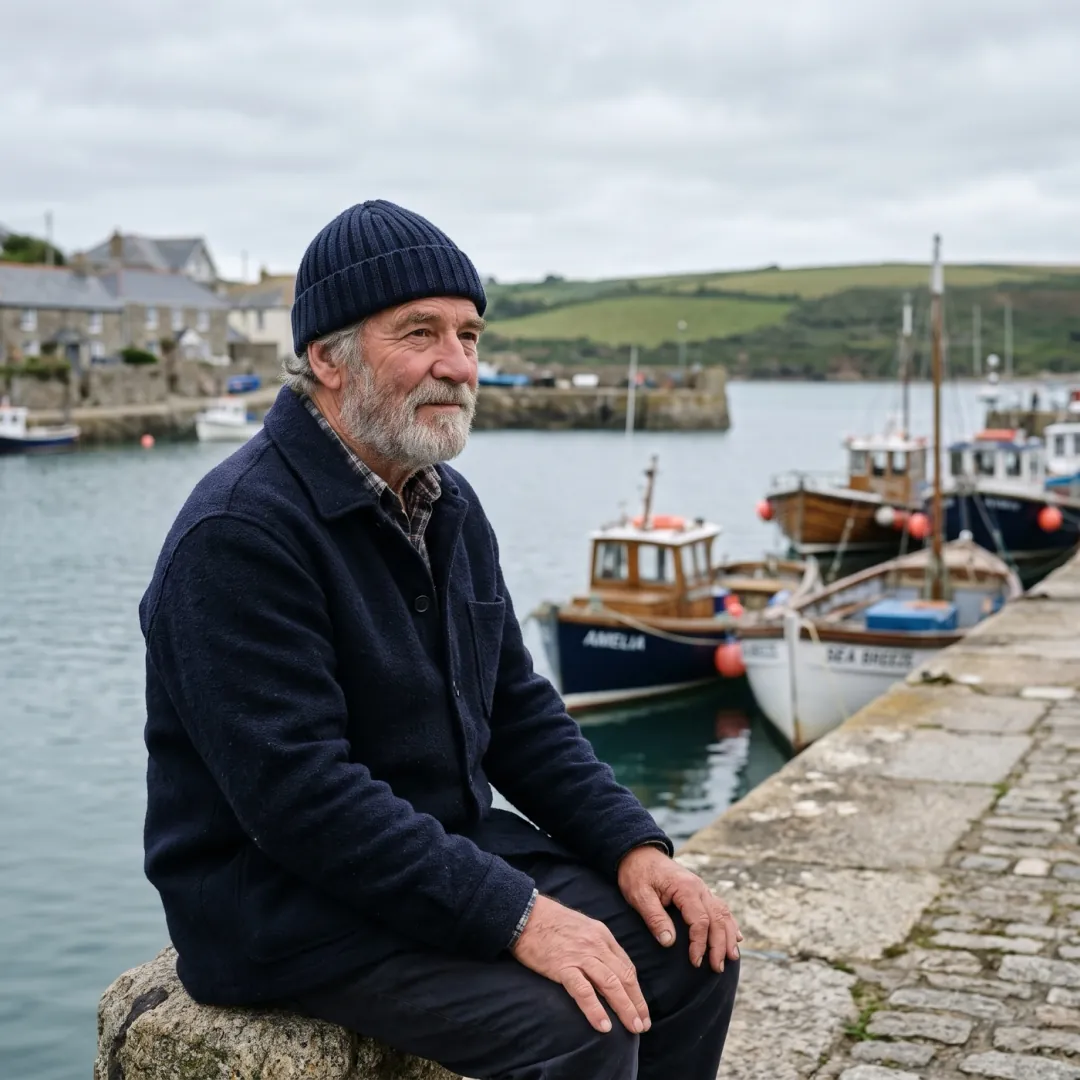 One subject, sharp
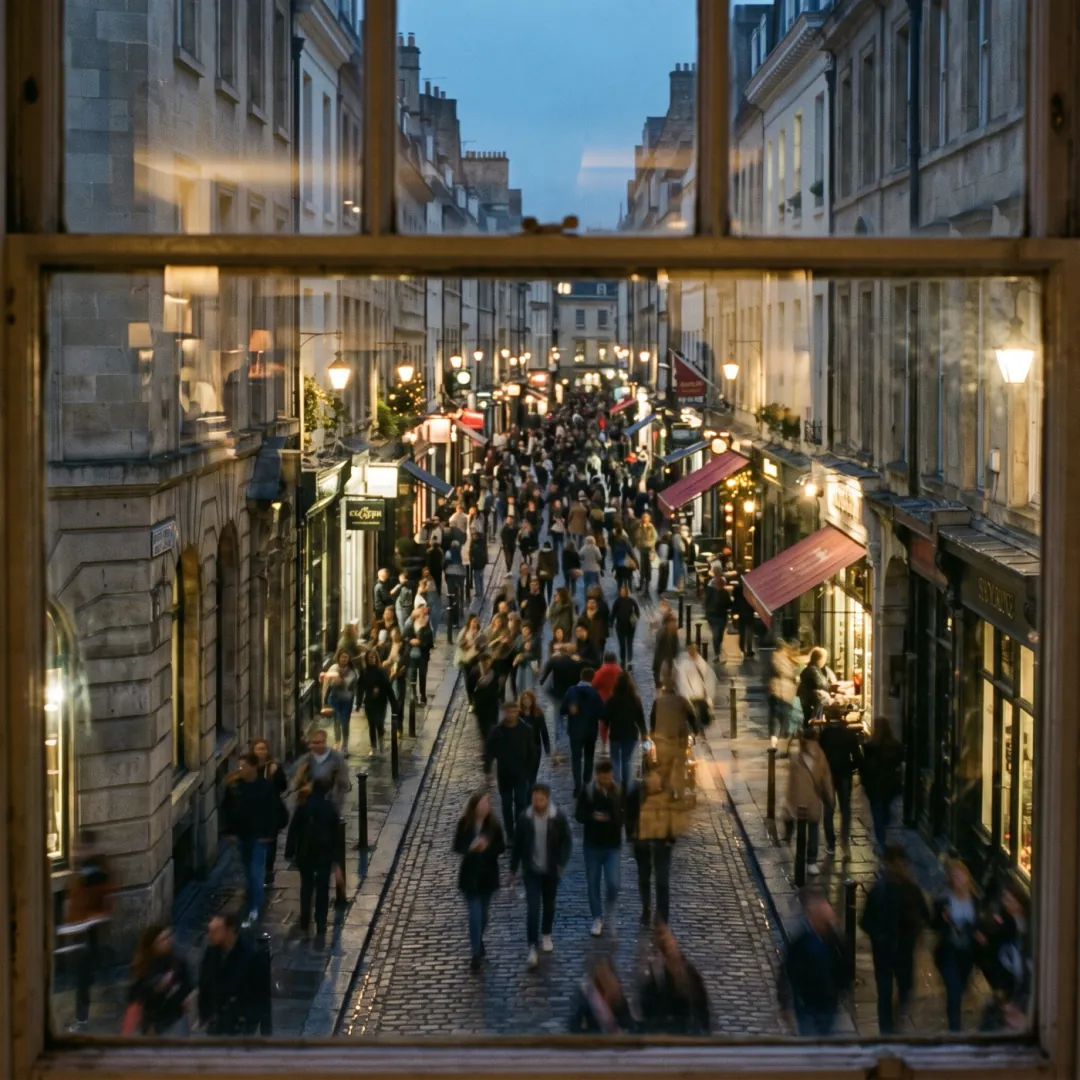 Too much going on
Getting started6 questions
What is AI Image to Video?
A web studio that turns a photo and a short line of text into a video clip. It also makes images from text or a photo, and has 62 effects and 14 tools. Nothing to install.
What are the steps to make my first clip?
Open Image to Video, add a photo, write one line on how it should move, pick a model and press Generate. The button shows the credits before you press.
Do I need to write a prompt?
Yes, one line on what should move is enough: "she turns and smiles" or "steam rises, slow push-in". If the box is empty, Generate asks you for a line first.
How long does a clip take to make?
Usually one to four minutes. You can leave the page; the clip waits for you in My assets.
How long can a video be?
Each run makes 5 to 10 seconds, depending on the model. Opened as it is, Hailuo 2.3 makes 6 and Veo 3.1 Fast makes 8. Extend a result to add more.
Can I start without a photo?
Yes. Text to Video starts from words, Frames to Video from a first and last frame, and Reference to Video from a few pictures of the same subject.
Credits and billing7 questions
Is AI Image to Video free?
You get 10 free credits after you verify your email, and the daily check-in adds up to 18 more each week (each day's credits last 7 days). They work for images, image effects and image tools. Videos need paid credits. 4 tools (convert, compress, resize, crop) are free without an account.
How much does one video cost?
From 15 credits. These are the cheapest short clips, at the settings the generator opens on:
| Model | Clip | Credits |
|---|---|---|
| MiniMax H3 | 480p · 5 s · sound | 15 |
| Grok Imagine Video 1.5 | 480p · 5 s · sound | 20 |
| Seedance 2 Mini (default) | 480p · 5 s · sound | 30 |
| Veo 3.1 Fast | 720p · 8 s · sound | 40 |
Should I buy a plan or a pack?
A plan refreshes your credits every month (Basic is $9.90 for 800 credits). A pack is paid once and its credits never expire (Starter is $9.90 for 600 credits).
Do unused credits roll over?
Plan credits refresh on your renewal date and do not stack. Pack credits stay until you use them.
What happens to my credits if a run fails?
They come back to your balance on their own, usually within a minute. The same goes for a run our checks block.
Can I get a refund?
If you have not used any credits from your first purchase, write to support@ai-image-to-video.io within 7 days and we refund in full. Renewals are not refunded, so cancel before your renewal date if you do not want the next one.
How do I cancel?
Account, Billing, Cancel plan. You keep your plan and credits until the end of the period you paid for, and you can turn it back on before then.
Models and quality6 questions
Which model should I pick?
Start with Seedance 2 Mini. Pick Hailuo 2.3 when a face must not change, MiniMax H3 for the cheapest clip with sound, and Kling 4.0 or Veo 3.1 for the most detail.
Which models make sound?
14 of the 16 video models make sound in the same run, at no extra cost. Hailuo 2.3 and FLUX 3 are silent.
What resolution do I get?
Between 4p and 1080p, depending on the model you pick. The Video Upscaler takes a finished clip to 1080p, 2K and 4K for 3, 5 and 9 credits a second.
Why did the face change?
The model had to guess. Use a sharp, front-lit photo, ask for a smaller move, or switch to Hailuo 2.3.
Is this the official site for these models?
No. We are independent and not affiliated with ByteDance, MiniMax, xAI, Alibaba, Kling AI, Google, Black Forest Labs and OpenAI. We pay their providers for each run.
Do the videos have a watermark?
Not when you use paid credits. Images made with free credits carry a small watermark.
Photos and results6 questions
Which photos work best?
A sharp photo, at least 720 pixels on the short side, with one clear subject and some room around it. The busier the frame, the more the model has to guess.
What files can I upload?
Photos: JPG, PNG or WebP up to 10 MB. Video tools take MP4, MOV, MKV, WebM; each tool page shows its length limit.
Where do my videos go?
To My assets, where you can play, download as MP4, extend or delete them. Clips made after you buy credits stay there until you delete them; free results stay 30 days.
Can I use the videos for my business?
Yes. Clips made with paid credits have no watermark and you can use them commercially. You need the right to use the photo you upload.
Can I animate a photo of someone else?
Only if you have their permission. We block sexual content, minors in unsafe scenes, and clips that put real people in misleading situations.
Why was my run blocked?
A check found something in the photo or the prompt it does not allow. Your credits come back. Try another photo or change the prompt.
Privacy and account5 questions
How long do you keep my uploads?
On free credits, your uploads and results are deleted after 30 days. Once you have bought credits, each new result and the photo it came from stay until you delete them or close your account.
Do you train AI on my photos?
No. The model provider gets your file only to make your result.
Who can see what I make?
Only you. Nothing is posted to a public gallery.
How do I delete my account?
Account, Delete account. Your uploads, results and prompts are removed, and credits left on the account are lost.
How do I sign in?
With Google, or with an email and password.
The quickest answer is a first clip.
Add a photo and press Generate. If the run fails, the credits come back.