Video Upscaler
Up to 4K · keeps soundAdd a clip, pick the size, and get the same clip back sharper and bigger.
 720p original1080p upscaled
What changes, and what stays the same
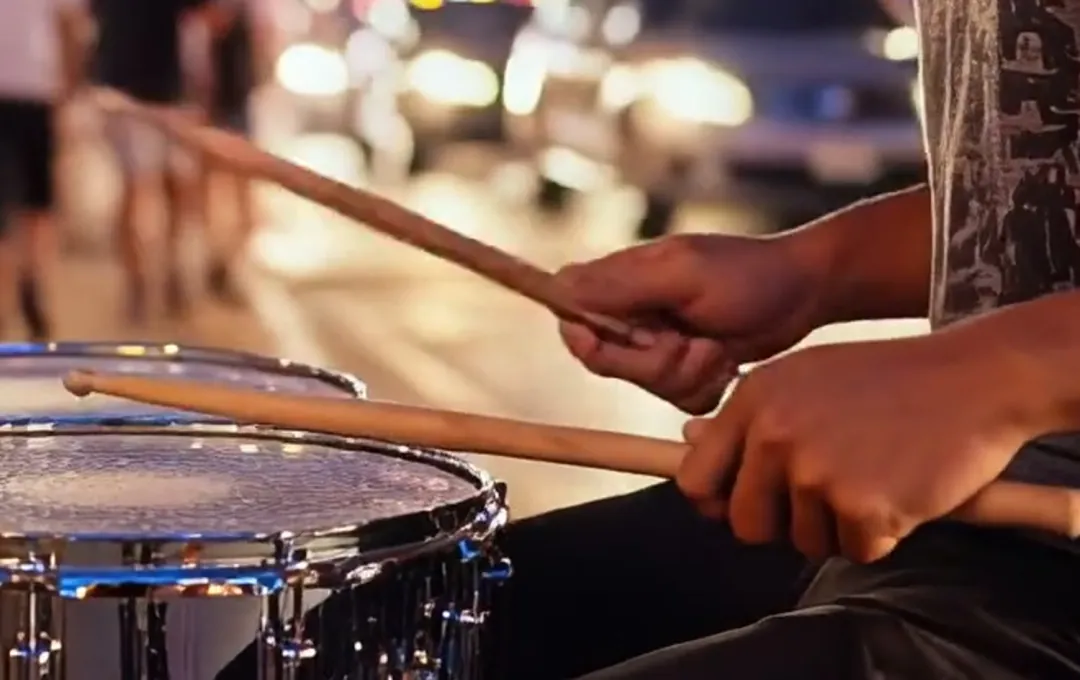
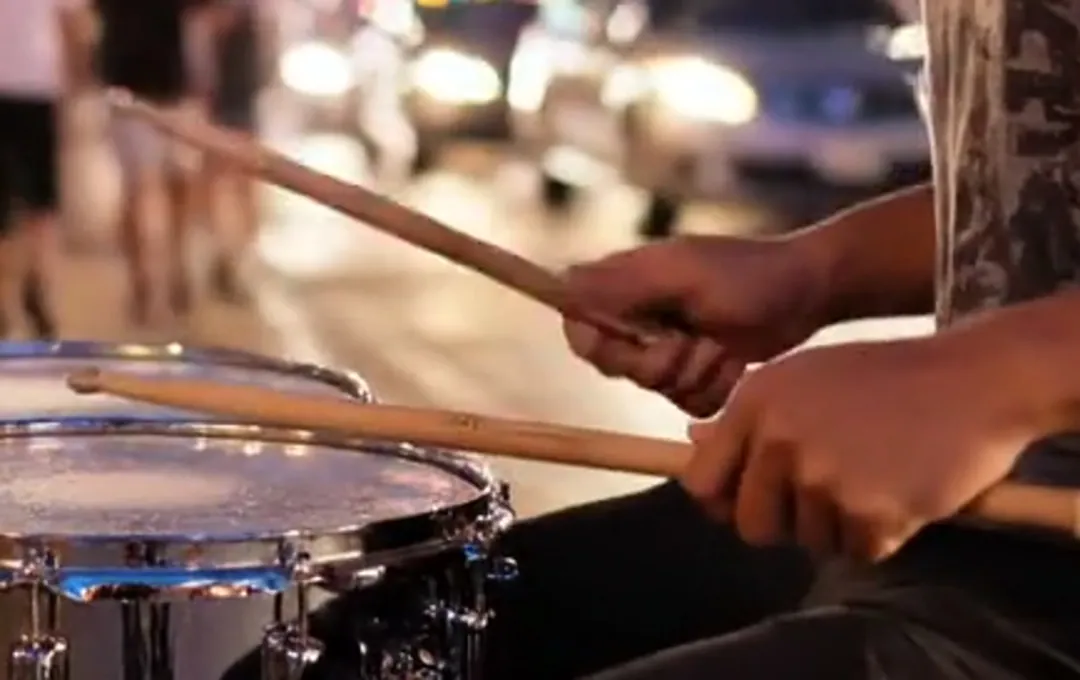
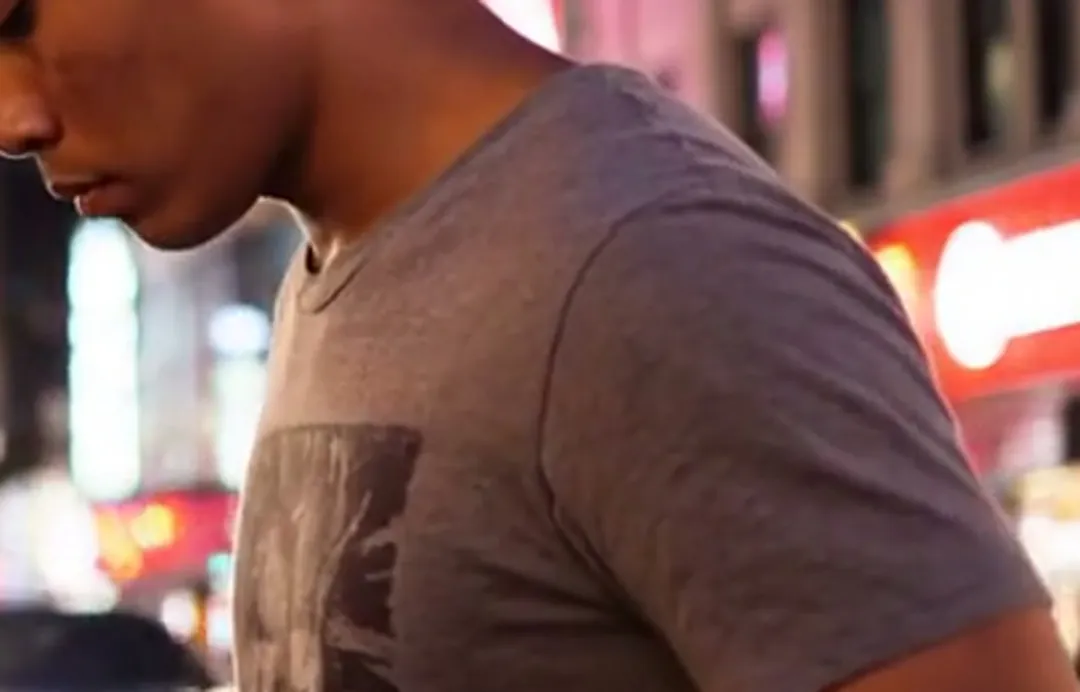
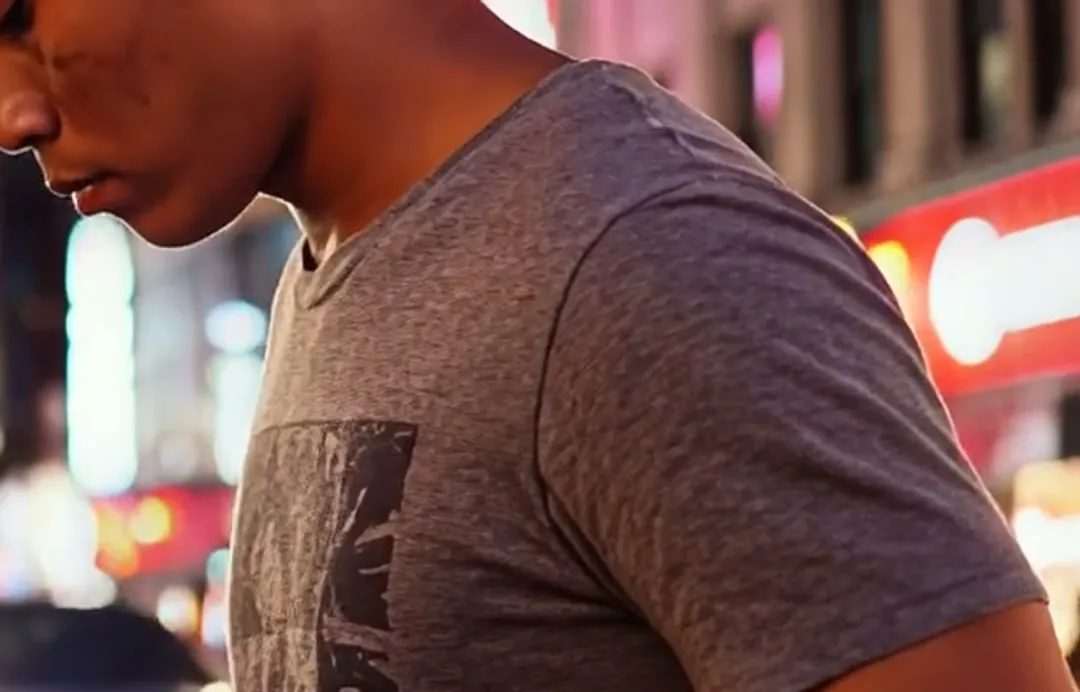
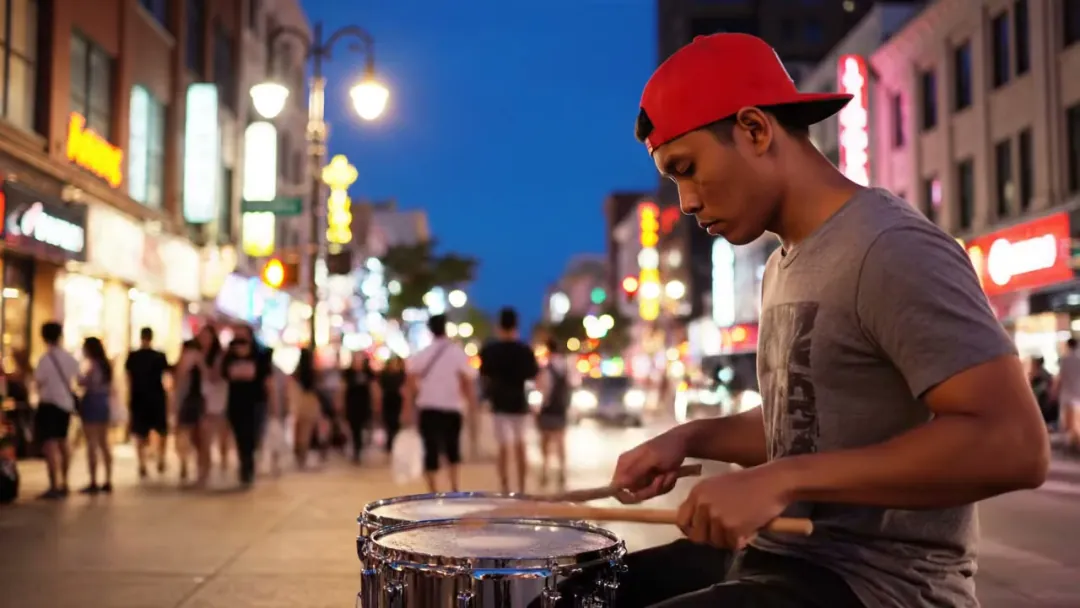
Drag the line on the first two. Left is a frame of the clip as it was made; right is the same frame after the upscaler, both cropped the same way.
Knit, print and edges come back
Fine texture is the first thing a small clip loses. A T-shirt turns into flat grey, and the edges of a printed logo smear into the cloth.
After the upscale the knit shows again and the print has a clean edge, without the bright halo that plain sharpening leaves behind.
Fast hands stay readable
Quick movement is where a 720p clip goes soft: drumsticks blur into the drum and the mesh of the snare becomes a smudge.
The upscaler redraws every frame at the new size, so the sticks keep their grain and the drum head keeps its pattern from one frame to the next.
Sound, length and frame rate come back as they went in
The upscaler only touches the picture. Our test clip went in at 24 frames a second, 7.9 seconds long, with street sound, and came back the same on all three.
Drop the new file straight back into your edit, or post it with the sound you already have. The shape stays too: a 16:9 clip comes back 16:9.
How much bigger each size is
The boxes are drawn to scale on a 4K frame. A 720p clip fills a third of the width; 4K fills all of it.
- 720p1280×720 · where many clips startOriginal
- 1080p1920×1080 · phones, social posts3 / s
- 2K2560×1440 · websites, laptops5 / s
- 4K3840×2160 · TVs, editing9 / s
Who upscales, and to what
Pick the size by where the clip will be watched.
Social posts and shop pages
Reels, Shorts and product listings play at 1080p on a phone, so a 720p clip gets there for 3 credits a second.
2KWebsites and portfolios
A video across the top of a page, seen full width on a laptop, where 720p starts to look soft.
4KTVs and editing
Party slideshows, screens at an event, or a clip you will crop and cut in an editor and still want sharp.
Where the upscaler fits
It is usually the last step before a clip leaves the site.
Video Upscaler
1080p, 2K or 4K, sound kept.
Video upscaler FAQ
Sizes, cost, files and speed.
How much does the video upscaler cost?
3 credits a second for 1080p, 5 for 2K and 9 for 4K, counted in whole seconds. A 10 second clip to 4K uses 90 credits. You see the total before you start, and a failed run gives the credits back.
Which size should I pick in the video upscaler?
Pick by the screen. 1080p for phones and social posts, 2K for websites and laptops, 4K for TVs and for clips you will crop in an editor.
What files can the video upscaler take?
MP4, MOV and MKV, up to 60 seconds and 50 MB. The clip keeps its shape: the short side goes to the size you pick.
Does the video upscaler change the sound, length or frame rate?
No. Only the picture changes. On our test clip the sound, the length and the 24 frames a second all came back as they went in.
How long does the video upscaler take?
Our 8 second test clip took about 20 seconds to reach 1080p. Longer clips and bigger sizes take longer; the result appears on the right when it is done.
Related tools
What people open before or after an upscale.
 Video
Upload a clip and the watermark is cleared from every frame.
 Video
Cut a person out of a clip and put a plain color behind them.
 Video
Make a face in a photo or clip speak along to your audio.
 Image
Enlarge a still 2×, 4× or 8× for print or a big screen.
Make the clip as sharp as the moment.
Add a video, pick 1080p, 2K or 4K, and get it back with the same sound and length.