AI Image Extender
7 frame shapes · 4 creditsAdd a photo, pick the new frame, and get it back with the scene carried on past the old edges.
One photo, a new frame
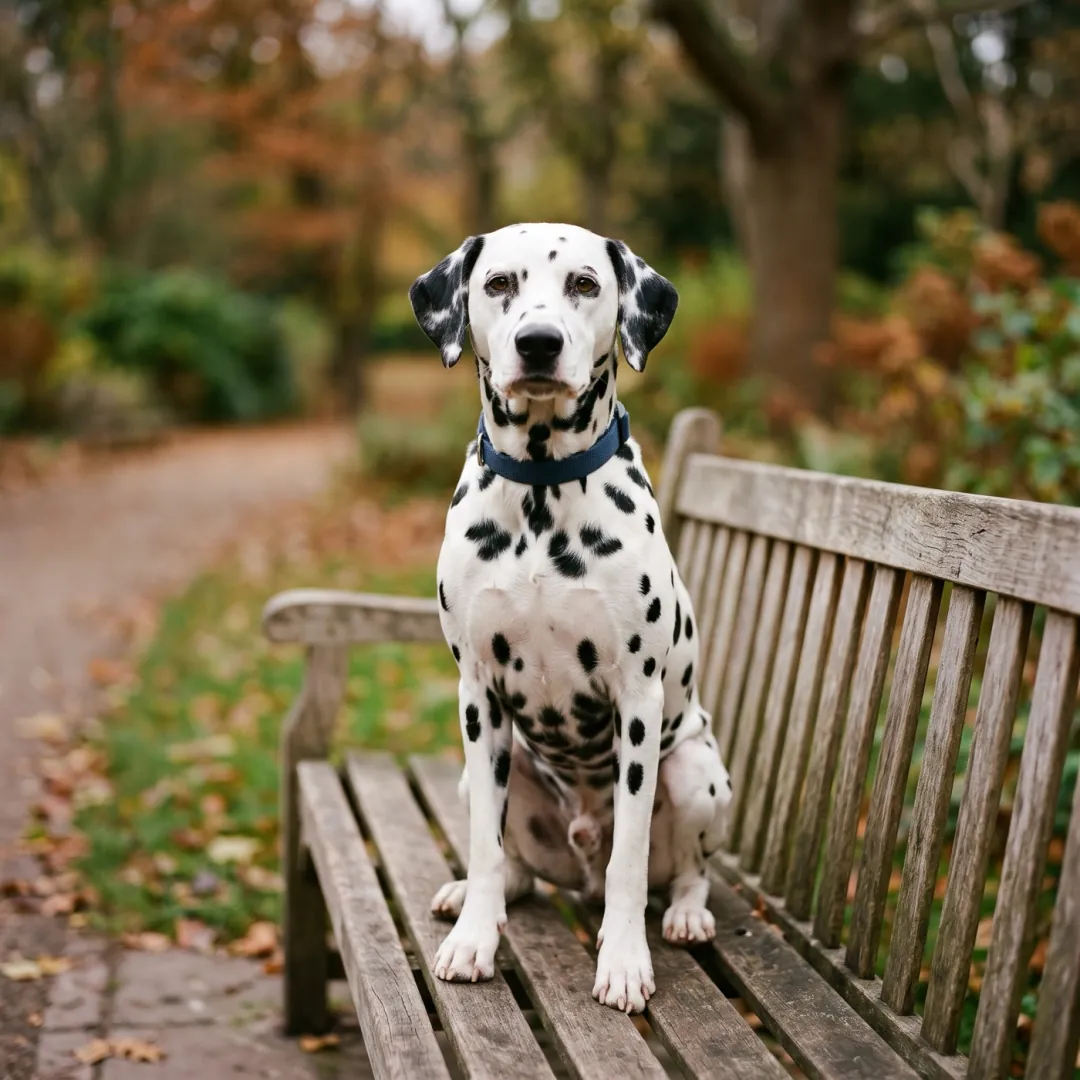
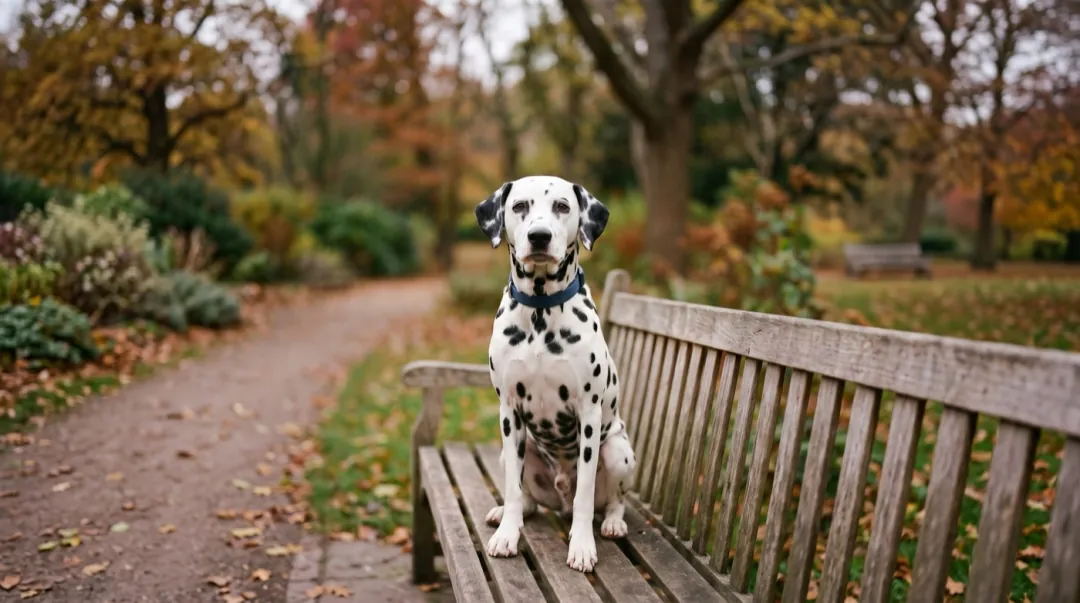
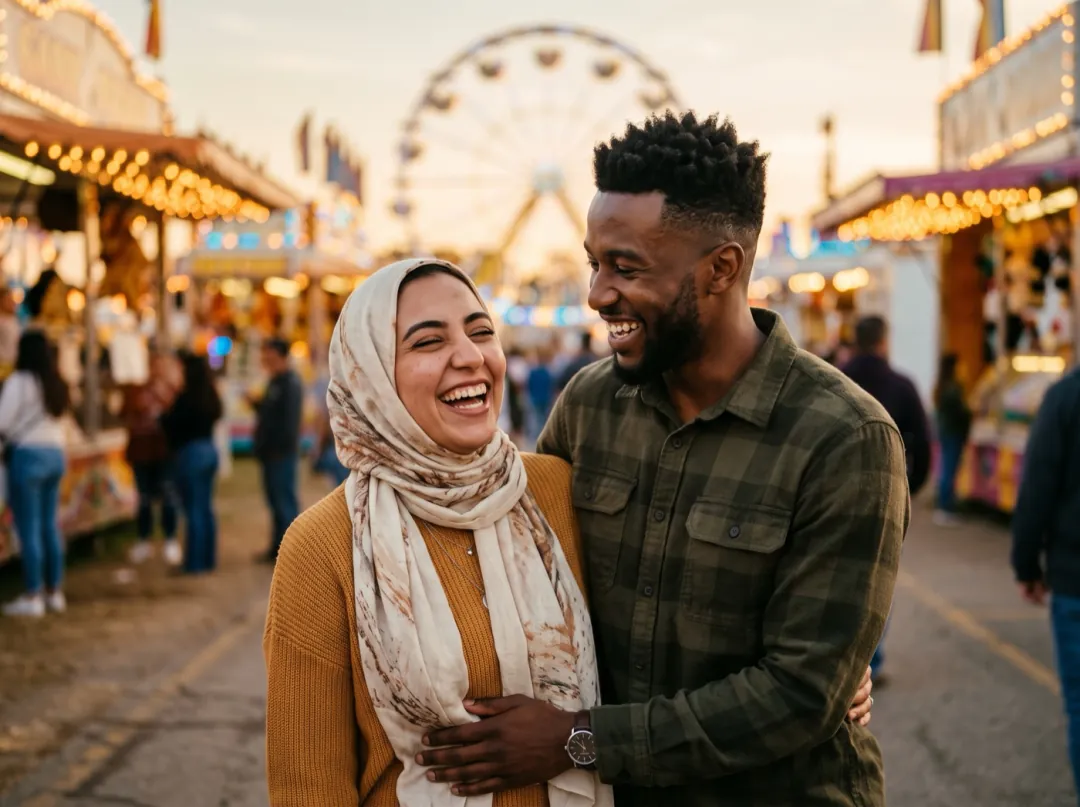
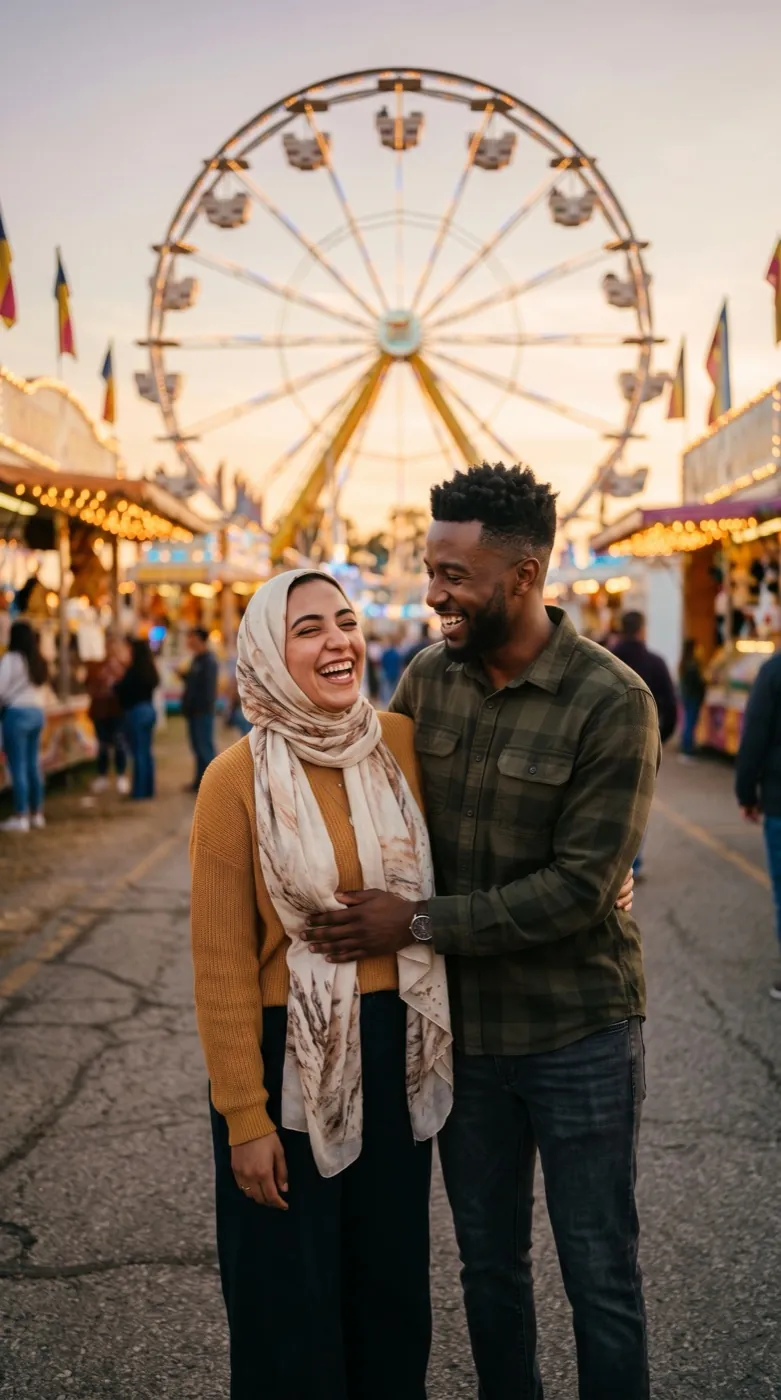
On the left is the photo that went in; on the right, the same photo after the extender, at the new shape.
A 4:3 snap turned into a full-screen story
A landscape photo posted as a story gets thick bars or a tight crop that cuts heads off. Neither looks like it was made for the phone.
Grown to 9:16, the fair carries on above the couple, Ferris wheel and evening sky, and the ground below them, so the photo fills the screen and the two of them stay as they were.
A square pet photo made wide
Square photos from a feed rarely fit a website banner, a channel header or a video frame without losing the subject to the crop.
At 16:9 the park continues on both sides of the bench, and the dalmatian stays exactly where and how it was.
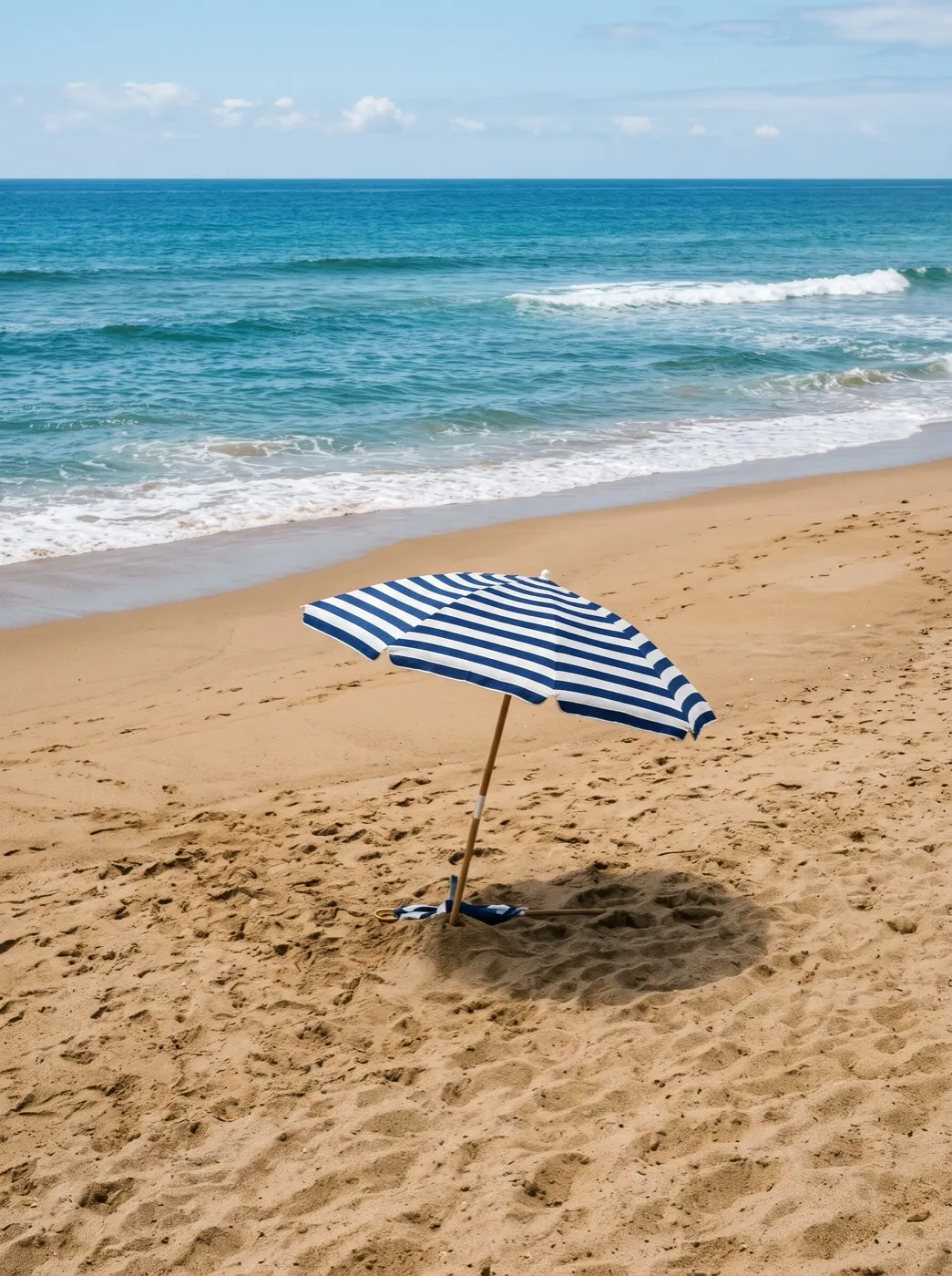
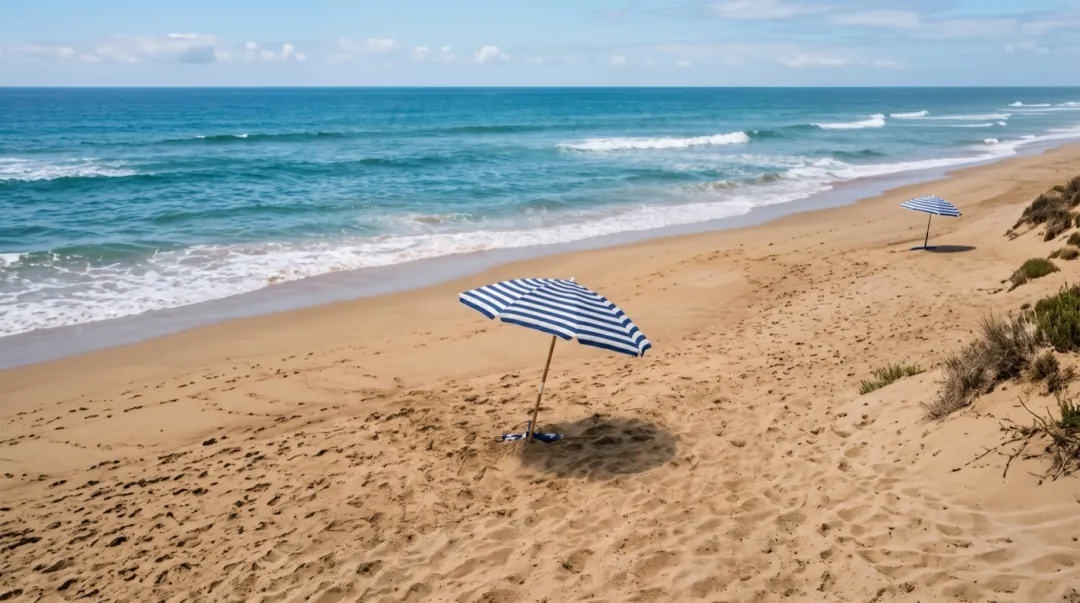
A narrow crop opened up into a whole beach
A tall crop of one umbrella has little to work with. The extender continues the sand, the sea and the sky sideways in the same light.
Use it to rescue a photo that was cropped too tight, or to make room for a title over the picture.
Who extends photos
Anyone whose photo is the wrong shape for where it is going.
9:16Stories and reels
Landscape photos made full-screen for a phone, without bars or a crop.
16:9Banners and thumbnails
Square or tall photos made wide for a site header, a channel banner or a video.
Room for textDesigners and marketers
Space around the subject for a headline, a logo or a price, from the photo you have.
Where the extender fits
Get the frame right first, then bring the photo to life.
AI Image Extender
Seven frame shapes, scene carried on.
AI image extender FAQ
Cost, shapes, files and what changes.
How much does the AI image extender cost?
4 credits a photo, whichever shape you pick. You see it before you start, and a failed run gives the credits back.
Which frame shapes can the image extender make?
16:9, 9:16, 1:1, 4:3, 3:4, 4:5 and 21:9. Pick the one of the place the photo is going.
Does the image extender change the original part of the photo?
In our demos the people and the pet stayed as they were. The background near the old edges can be redrawn a little so the new parts join without a seam, so check faces and small text before you use the result.
What files does the image extender take?
JPG, PNG and WebP up to 10 MB. Large photos are scaled to 3072 pixels on the long side before the run.
Can the image extender make a photo smaller or crop it?
No, it only adds. To cut a photo down to a shape, use Crop Image, which runs free in your browser.
Related tools
Other ways to fit a photo to its place.
 Free
Cut a photo down to a post, story or profile shape.
 Free
Set the exact pixel size a site or form asks for.
 Image
Lift the subject out onto a transparent background.
 Image
Enlarge a photo 2×, 4× or 8× with detail filled in.
The right frame, without the crop.
Add a photo, pick 9:16, 16:9 or another shape, and get the scene carried on past its edges.