Photo Restorer
Scratches, tears, fading · 4 creditsAdd a scan or a phone photo of an old print, and get it back mended, with the faces kept.
 1950s printRestored
Three kinds of damage, one step each
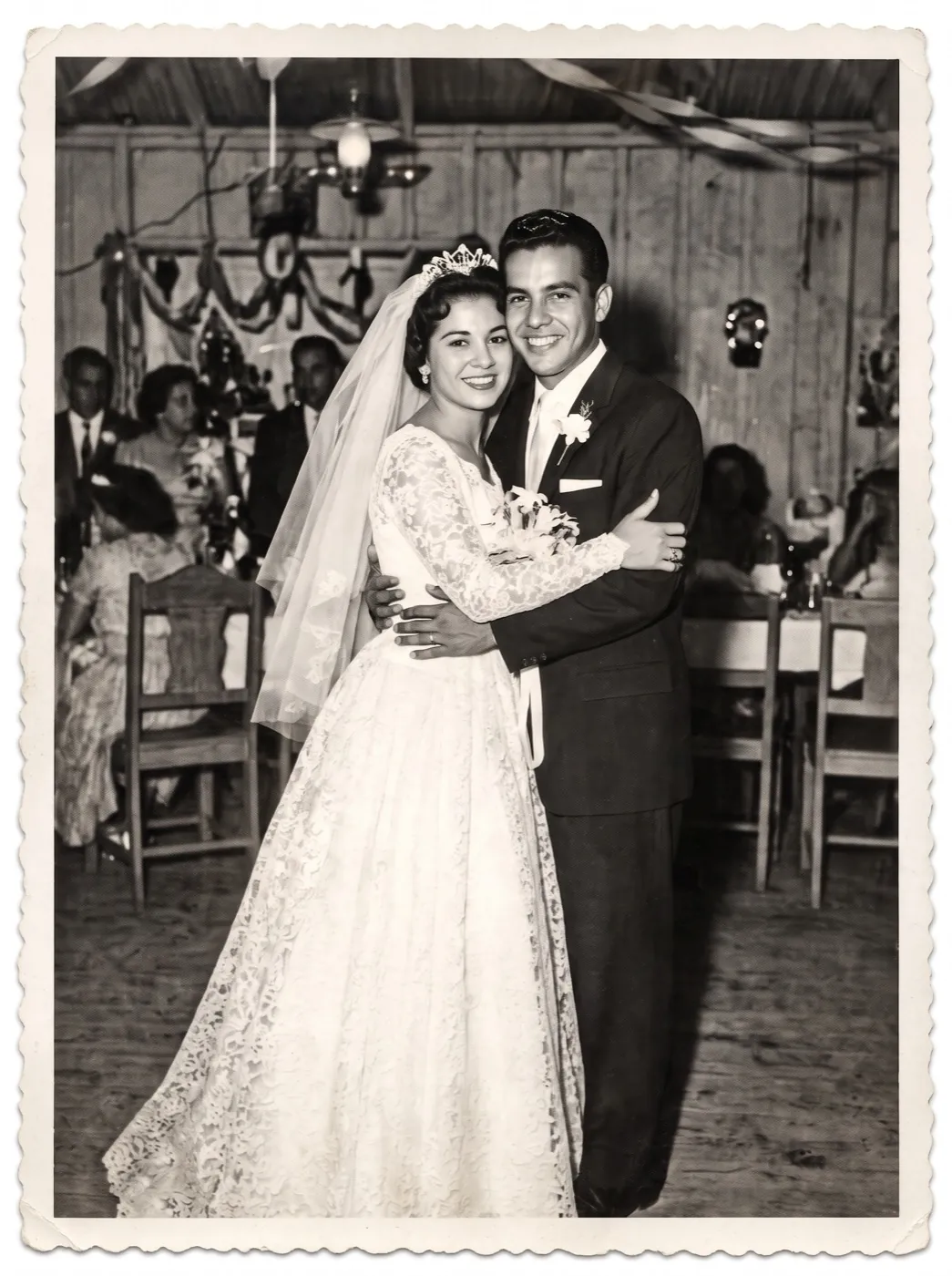
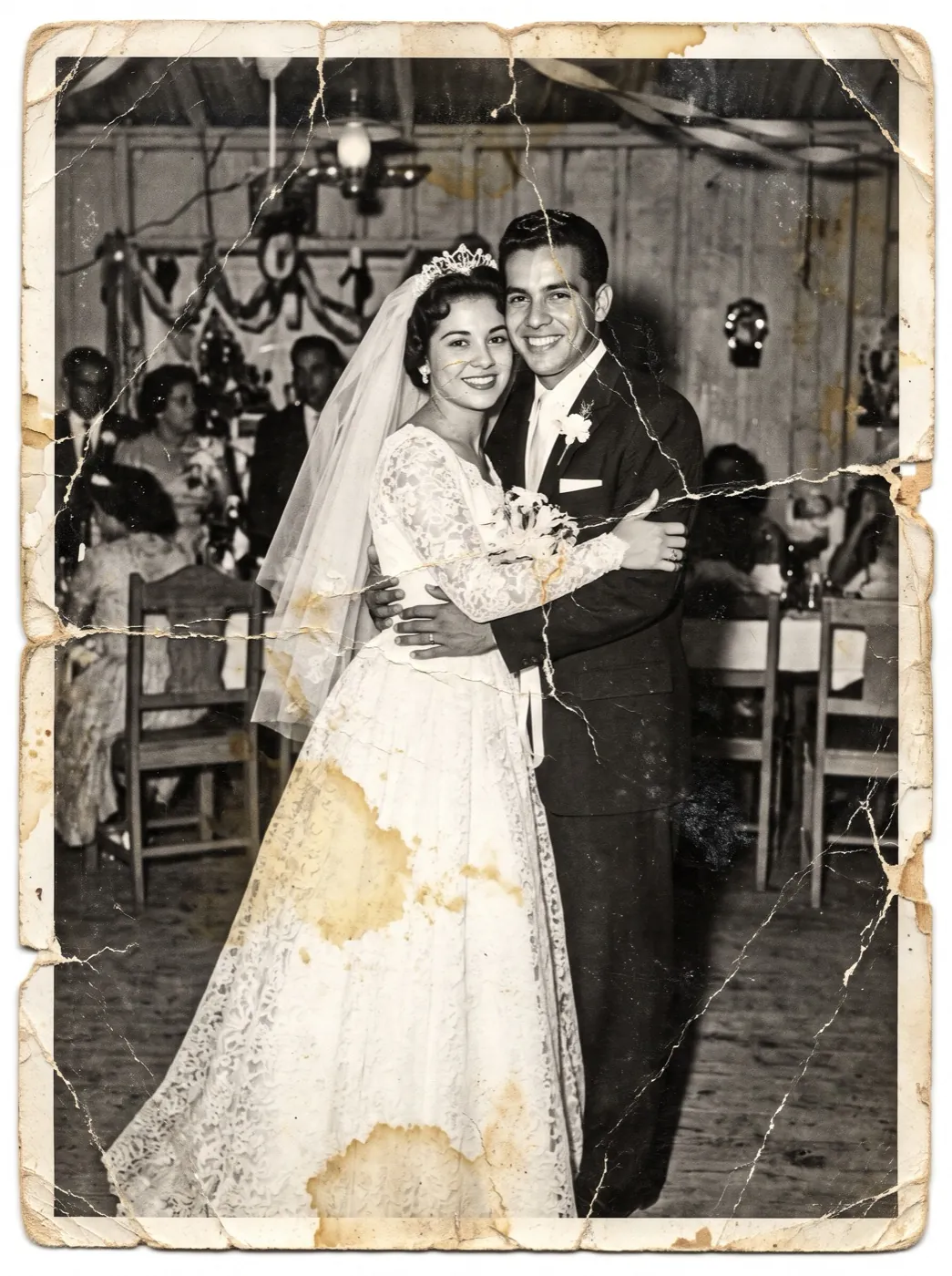
Each left side is the damaged print as it went in; each right side came out of a single run. Drag the line to compare.
A torn wedding print, made whole
A 1950s wedding photo kept in a damp box: torn at the edge, water-stained and cracked across the emulsion.
The tear and the stains are rebuilt from what is around them, and the couple’s faces, the dress and the black-and-white look stay as they were.
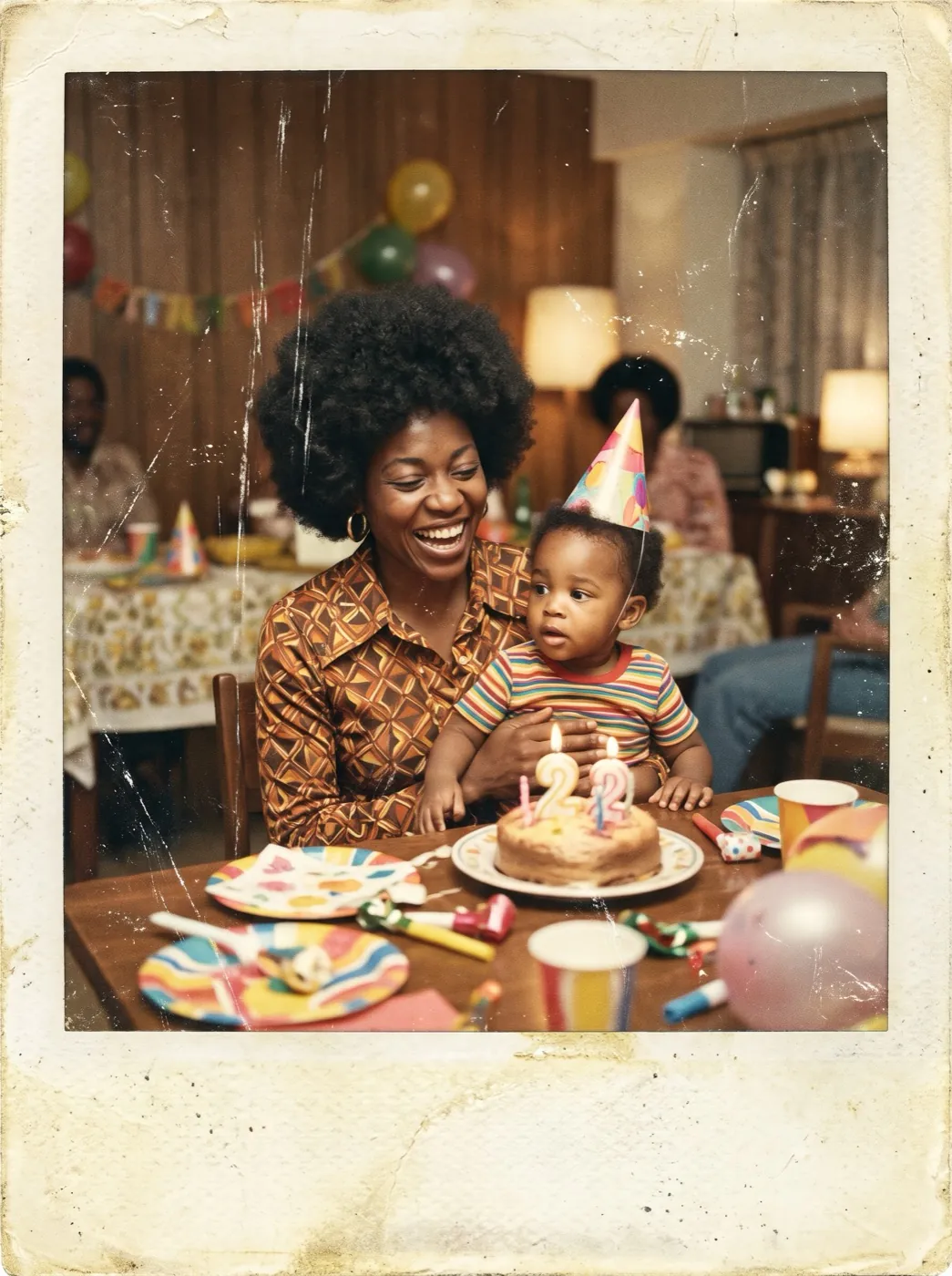
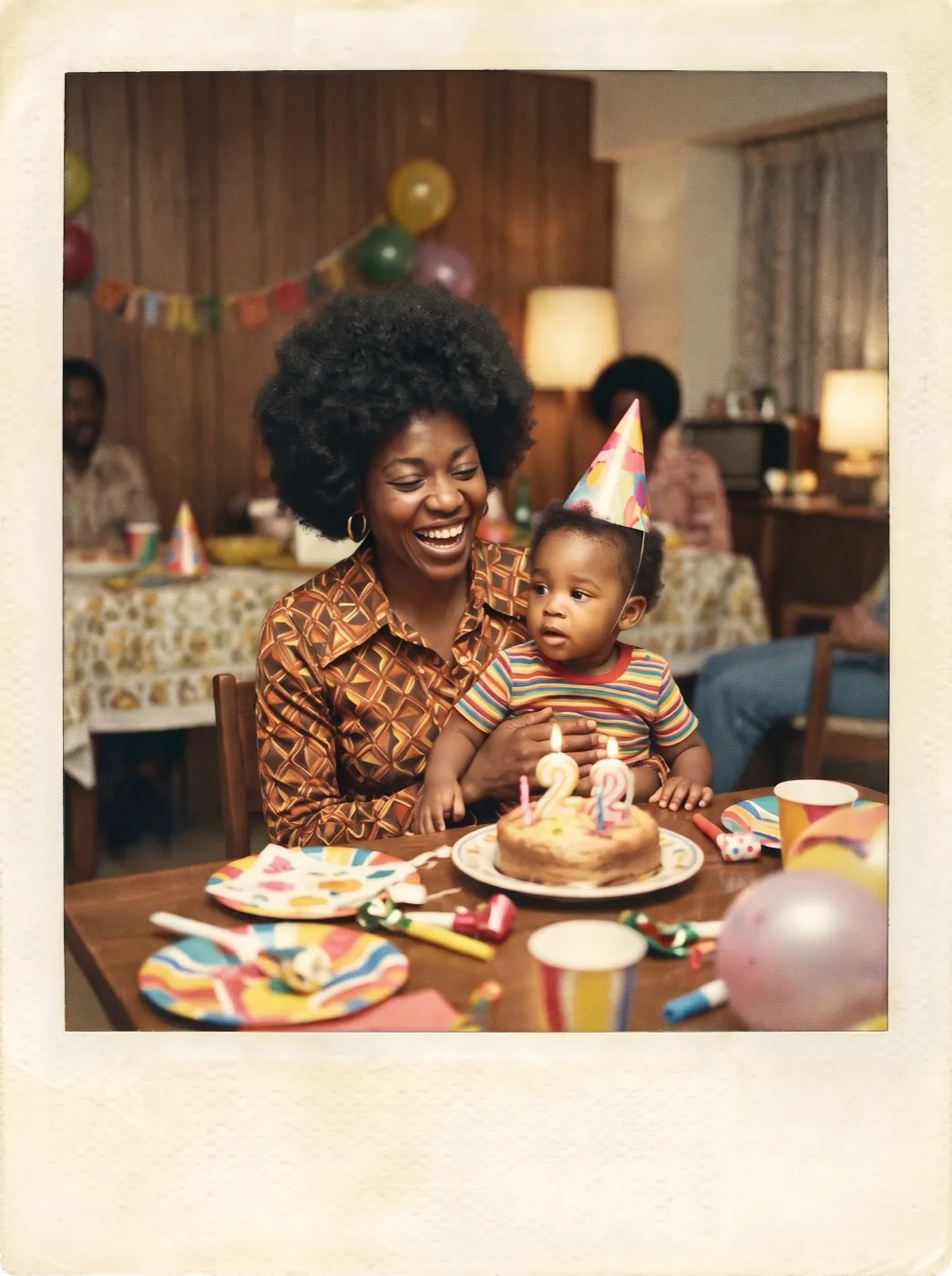
A washed-out instant photo, its color back
Instant photos from the 1970s fade toward orange and lose their shadows, and this one was scratched as well.
Restored, the birthday table and the mother and toddler have their contrast and natural color again, still looking like a 1970s photo.
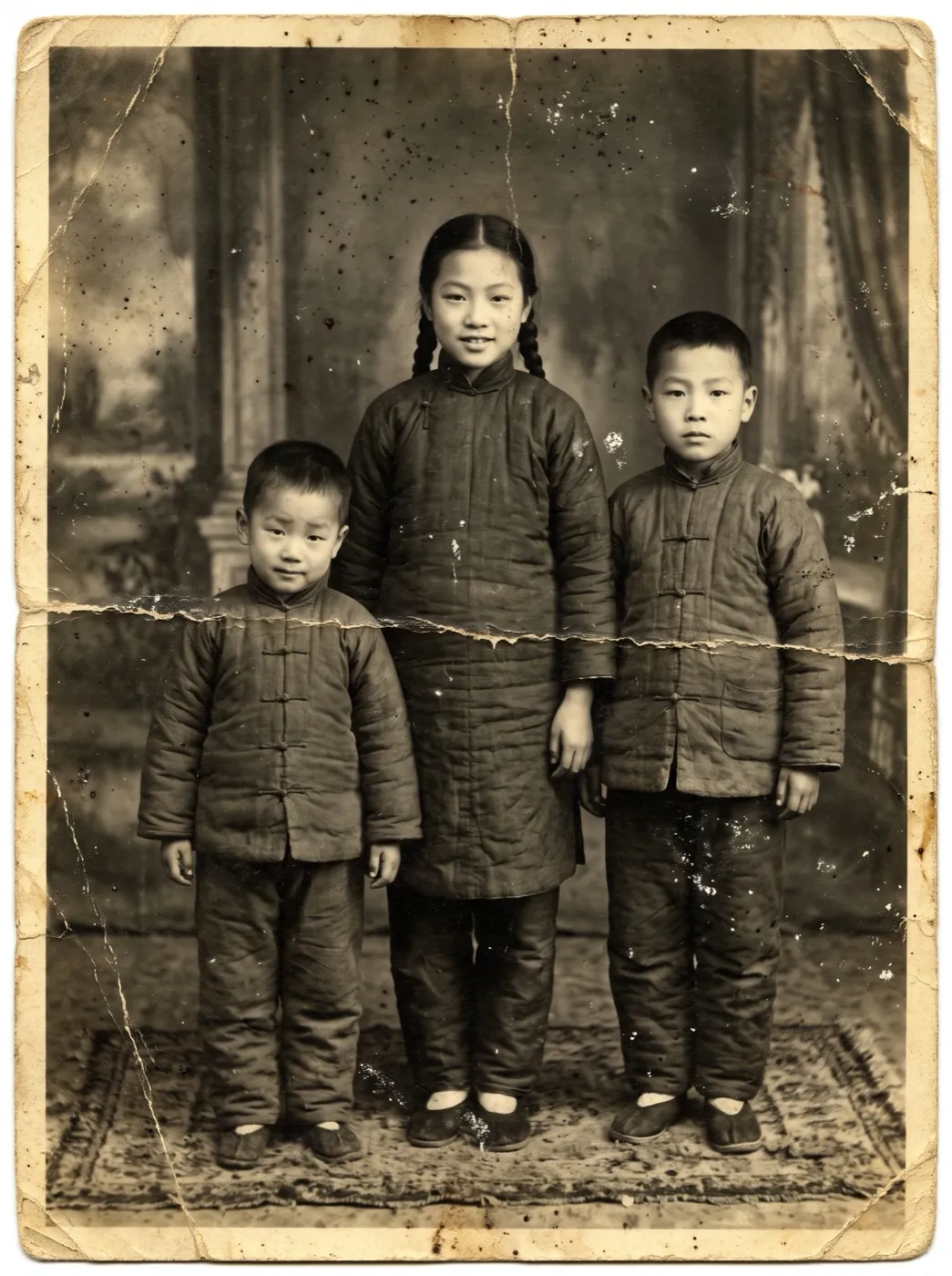
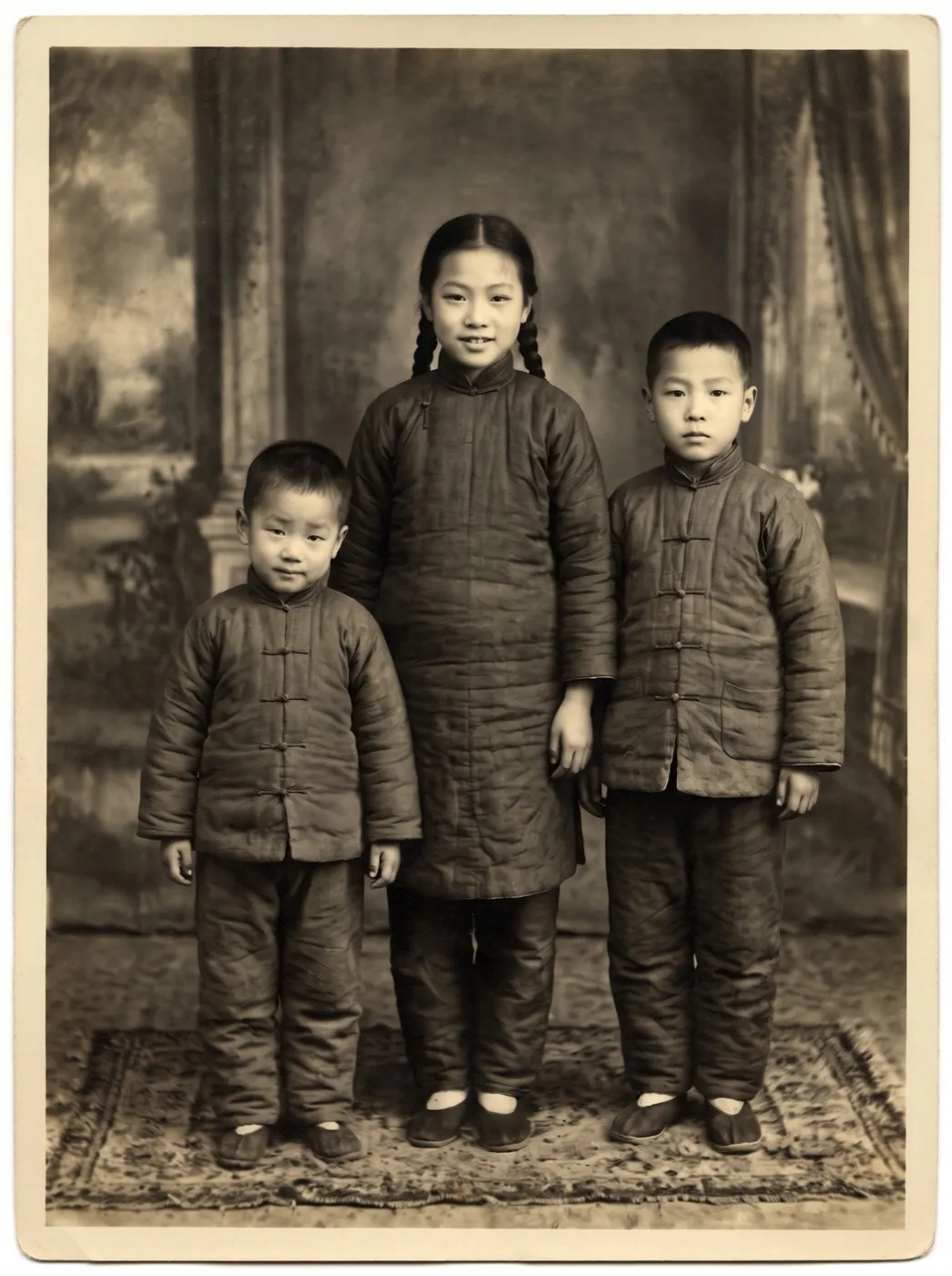
Three siblings, out from under the dust
A 1940s studio portrait, folded, yellowed and covered in dust spots, the kind that sits in an album for generations.
The creases and spots are gone and the three faces read clearly, with their expressions and the studio backdrop unchanged.
Who restores photos
Most of them are holding the only copy.
AnniversariesFamilies planning a gift
A grandparents’ wedding photo mended for an anniversary print or a frame.
Family historyFamily historians
Album pages scanned and repaired before the prints fade any further.
MemorialsMemorials and slideshows
Old snapshots made clear enough for a service, a slideshow or a shared album.
Where the restorer fits
Mend it first, then make it bigger or bring it to life.
Photo Restorer
Scratches, tears and fading mended.
Photo restorer FAQ
Cost, color, faces and files.
How much does the photo restorer cost?
4 credits a photo, whatever the damage. A failed run gives the credits back.
Does the photo restorer colorize black-and-white photos?
No. A black-and-white photo stays black and white, and a faded color photo gets its color back. This keeps the restored photo true to the original.
Will the photo restorer change the faces?
It is asked to keep every face, expression and outfit as they are, and it did on our demos. Where a face is badly torn it has to rebuild, so compare the result with the original before you print.
How should I scan a photo for the photo restorer?
A flatbed scan is best. A phone photo works too: lay the print flat in daylight, hold the phone straight above it, and avoid glare.
What files does the photo restorer take?
JPG, PNG and WebP up to 10 MB. Large scans are scaled to 3072 pixels on the long side before the run.
Related tools
What people do with an old photo after it is mended.
 Image
Enlarge a small scan 2×, 4× or 8× for print.
 Image
Clear a date stamp or a studio mark from your photo.
 Video
Make a restored portrait speak a recorded line.
 Image
Lift a person out of an old photo for a new layout.
Mend the photo you only have one of.
Add a scan or a phone photo of the print, and get it back without the tears, dust and fading.