Pets are one of the best subjects for photo to video, and one of the most revealing. We all know exactly how our own cat blinks or how the dog tilts its head, so a motion that is slightly off reads as wrong straight away. The good news is that animals do a small set of things very often, and those are exactly the motions video models have seen the most. Ask for them and the clip looks like your pet.
- Pick a photo where the pet is sharp, still and looking at something.
- Ask for the motions your pet actually does: a blink, a head tilt, a tail flick.
- One animal action per clip, plus a reaction if a person is in the photo.
- Check the legs and the tail first; that is where clips go wrong.
Pick a photo your pet is still in
The best pet photos for animation are the calm ones: sitting on a windowsill, lying on a bed, perched on a shoulder. A photo of a dog mid-jump looks exciting as a still, but the model has to guess where every leg goes next, and four legs in fast motion is where extra paws and bent joints appear.
- Eyes in focus. The eyes carry the expression; a blurred face gives the model little to keep.
- The whole animal, or a clean crop. A tail or paw cut off at the edge can come back in the wrong place.
- Something to look at. A window, a toy or a person gives the motion a direction.
- Fur against a plain background. Long fur on a busy pattern tends to shimmer.
A cat at the window
Our first photo is a tabby on a windowsill, birds at a feeder outside. We asked for jaw chattering, a tail twitch and a crouch to pounce:
The cat’s jaw chatters at the birds, its tail twitches and it crouches to pounce. One continuous shot, no cuts, natural physics, stable faces and hands. Keep the first frame’s faces, clothes and light.
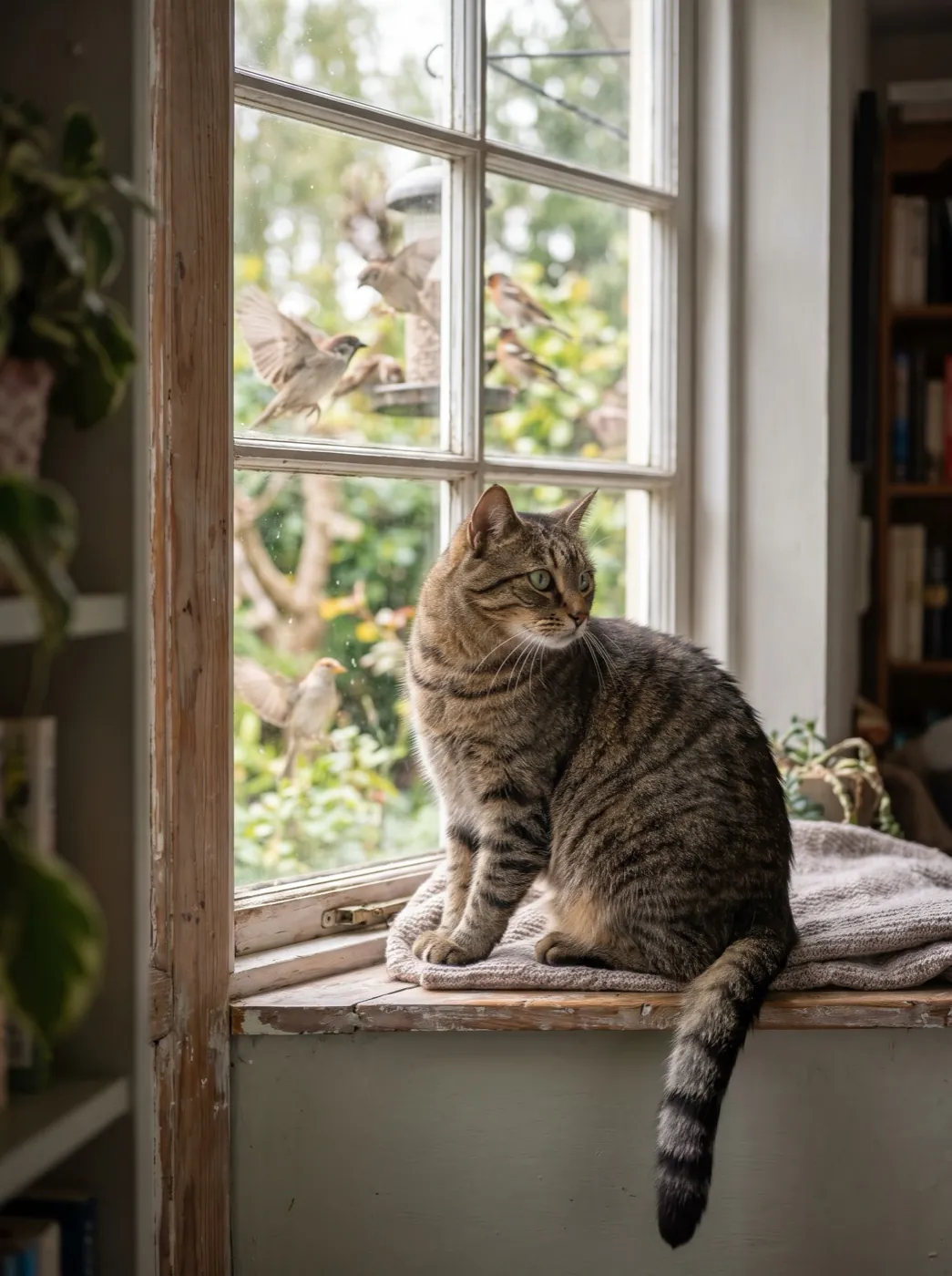
The clip is believable because the cat stays a cat: the head turn follows the birds, the tail moves the way tails do, the fur holds. It is also a fair example of what models drop. We asked for three things, and the biggest one, the crouch, did not happen. When that matters, give the big action its own run with fewer words around it.
A parrot and its person
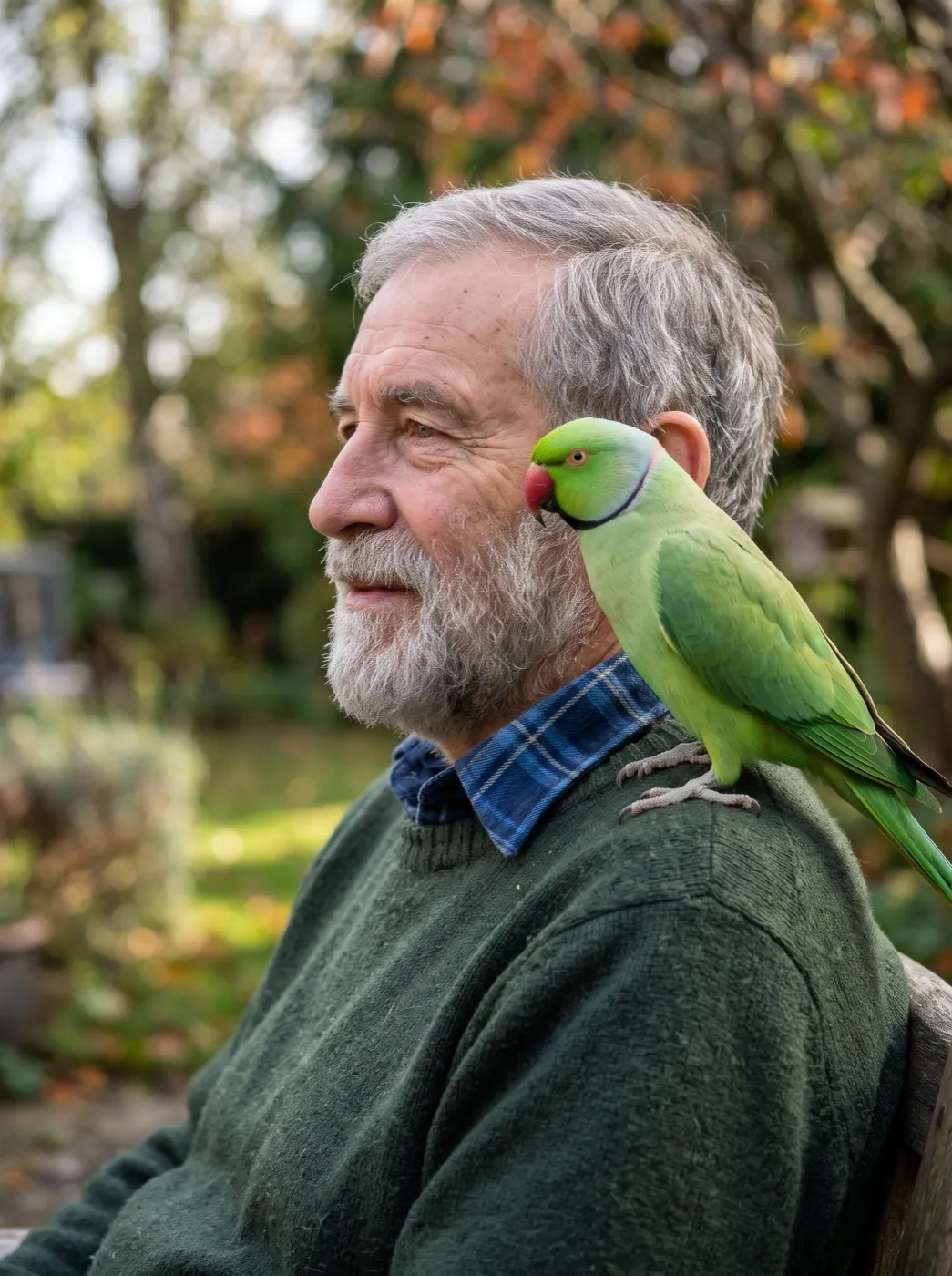
The second photo is a green parrot on the shoulder of a man in his sixties. With a person in the shot, the clip has two parts: what the animal does and how the person reacts. That reaction is what makes it feel like a moment rather than a moving picture.
The parrot bobs its head, nibbles his ear and he laughs. One continuous shot, no cuts, natural physics, stable faces and hands. Keep the first frame’s faces, clothes and light.
Motions that look natural for animals
Ask for what your pet does on an ordinary day. These are the motions that came out cleanly for us and the ones we would avoid on a first try:
| Animal | Works well | Harder |
|---|---|---|
| Cats | slow blink · ears turn · tail flicks · yawn · head follows something | jumping down · grooming with a paw · walking toward the camera |
| Dogs | head tilt · tongue out, panting · tail wags · ears perk up | running in a circle · catching a ball mid-air · shaking off water |
| Birds | head bob · feathers ruffle · steps along a perch | taking off and landing |
| Small pets | nose twitch · whiskers move · chewing | hopping across the frame |
The "harder" column is not impossible; it just needs more tries and a model that handles fast motion. Start with the left column and move right once you know what your photo can take.
Which model to use
Both clips above were made on Seedance 2 Mini, the lowest-cost Seedance model, at 480p, with sound left out of those runs. In the generator Seedance 2 Mini makes sound with the picture, so if you want the bark, purr or squawk, describe it in the prompt and it comes in the same run.
| If you need | Pick | Credits |
|---|---|---|
| A cheap first try, like the clips above | Seedance 2 Mini | 30 · 480P 5s |
| Lively pets with sound | HappyHorse 1.1 | 160 · 720P 5s |
| Sound at the lowest price | MiniMax H3 | 15 · 480P 5s |
 Seedance 2 Mini
 HappyHorse 1.1
 MiniMax H3
There are also ready-made pet effects that need no prompt at all, such as the dog head tilt and cat says hi. They are a quick way to see what your photo can do before you write your own line.
When the pet looks wrong
| What you see | Why | What to change |
|---|---|---|
| An extra leg or paw | Fast leg motion, or legs cut off by the frame. | Ask for a calmer action, or use a photo with all legs visible. |
| The face changes breed | A small or turned-away face in the photo. | Use a closer photo with the eyes in focus. |
| Fur shimmers or crawls | Long fur against a busy background. | Pick a plainer background, or ask for the camera to hold still. |
| The big action never happens | Several actions competing in one short clip. | Run the big action on its own with fewer words. |
FAQ
Can I turn a photo of my pet into a video?
Yes. Upload the photo, write one line about what your pet does, such as "the cat blinks slowly and flicks its tail", and pick a model. Most clips are ready in a few minutes.
What pet photos animate best?
Calm photos where the pet is sharp, the eyes are in focus and the whole animal is in frame. Action shots with legs in the air are the hardest.
Why does my pet have an extra leg in the clip?
Fast leg motion makes the model guess where each leg goes. Ask for a calmer action, such as a head tilt or a tail wag, or use a photo where all the legs are clearly visible.
Can the video include my dog barking or my cat purring?
Yes, on a model that makes sound in the same run. Describe the sound in the prompt. The two clips on this page were made with sound left out, so they play silent.
Is there a way to animate a pet without writing a prompt?
Yes. Pet effects such as dog head tilt and cat says hi come with the motion already written. Upload the photo and press Generate.