Old photos are the most rewarding thing to animate and the easiest to get wrong. The faces are small, the print is faded or scratched, and the people in it matter to you, so a face that drifts even a little feels wrong in a way it would not on a stock photo. Most of the work happens before you press Generate: getting a clean copy of the print, repairing it, and asking for motion that suits a family snapshot.
If your photo is already scanned and in good shape, the old photo animation effect does it in one click. This guide is for everything before that: the print in the drawer, the scan, the repair and the prompt.
- Photograph the print flat, straight from above, in soft side light.
- Repair scratches, dust and fading before you animate, not after.
- Ask for small, natural motion: a smile, a wave, a breeze.
- Pick a model known for faces, and keep the length short.
Scan or phone-shoot the print
A flatbed scanner gives the cleanest copy, but a phone does fine if you set it up well. The two things that ruin a phone copy are glare and a tilted angle. Glare hides faces under a white sheen, and a tilt makes the model treat the print as an object lying on a table rather than as the scene itself.
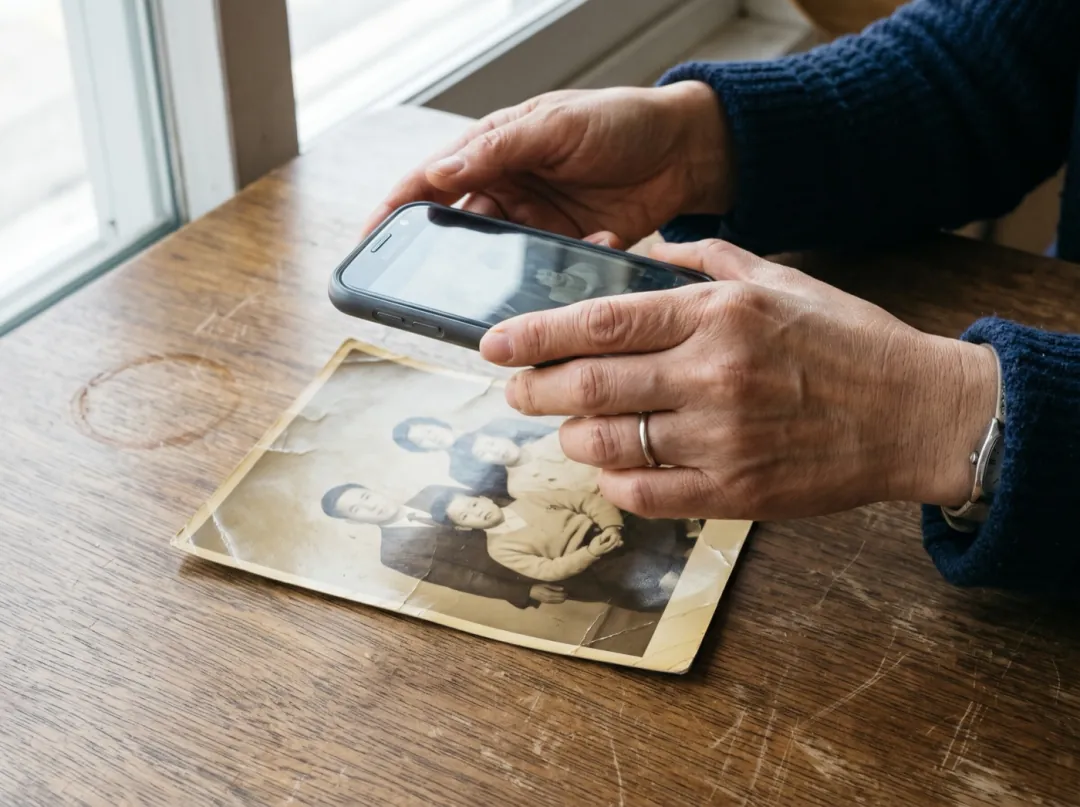
- 1Take the print out of any frame or plastic sleeve; both add glare.
- 2Lay it flat on a dark, plain surface next to a window. Side light, not light from behind you.
- 3Hold the phone straight above it, parallel to the print. Most camera apps show a level when you are flat.
- 4Turn the flash off and tap to focus on a face.
- 5Fill the frame with the print, then crop off the table with the crop tool.
Shoot at the phone’s full resolution. A face that is only a few dozen pixels wide in your copy will be guessed at, not kept. If the people are very small in the print, crop closer to them before animating; a tighter frame gives the model more of each face to hold on to.
Fix scratches and fading first
Video models treat everything in the photo as part of the scene. A scratch across a cheek can turn into a moving shadow, dust spots can flicker, and a heavy colour cast gets carried into every frame. Repairing the still first costs a few credits and saves you reruns.
- Scratches, dust, small tears: the photo restorer cleans them in one pass.
- Soft or tiny faces: run the copy through the image upscaler before animating.
- Black and white you would like in colour: the colorize and animate effect does both in one run.
- Faded colour you want to keep: leave it. The model keeps the look of the photo, and a 1970s print should look like one.
Compare the repaired copy with the original before you go on. A restorer can smooth skin a little too much on very worn prints; if a face no longer looks like the person, use the original copy and accept a few scratches.
Prompts that suit old photos
Family snapshots were posed. People stood still and smiled at the camera, and that is the motion that looks believable when the photo comes alive: a laugh, a wave, a glance at someone beside them, a breeze in the plants. Big actions such as walking out of frame or dancing ask the model to invent bodies and backgrounds it never saw, and on an old print that is where faces start to change.
The grandmother laughs, the children wave and a breeze moves the porch plants. One continuous shot, no cuts, natural physics, stable faces and hands. Keep the first frame’s faces, clothes and light.
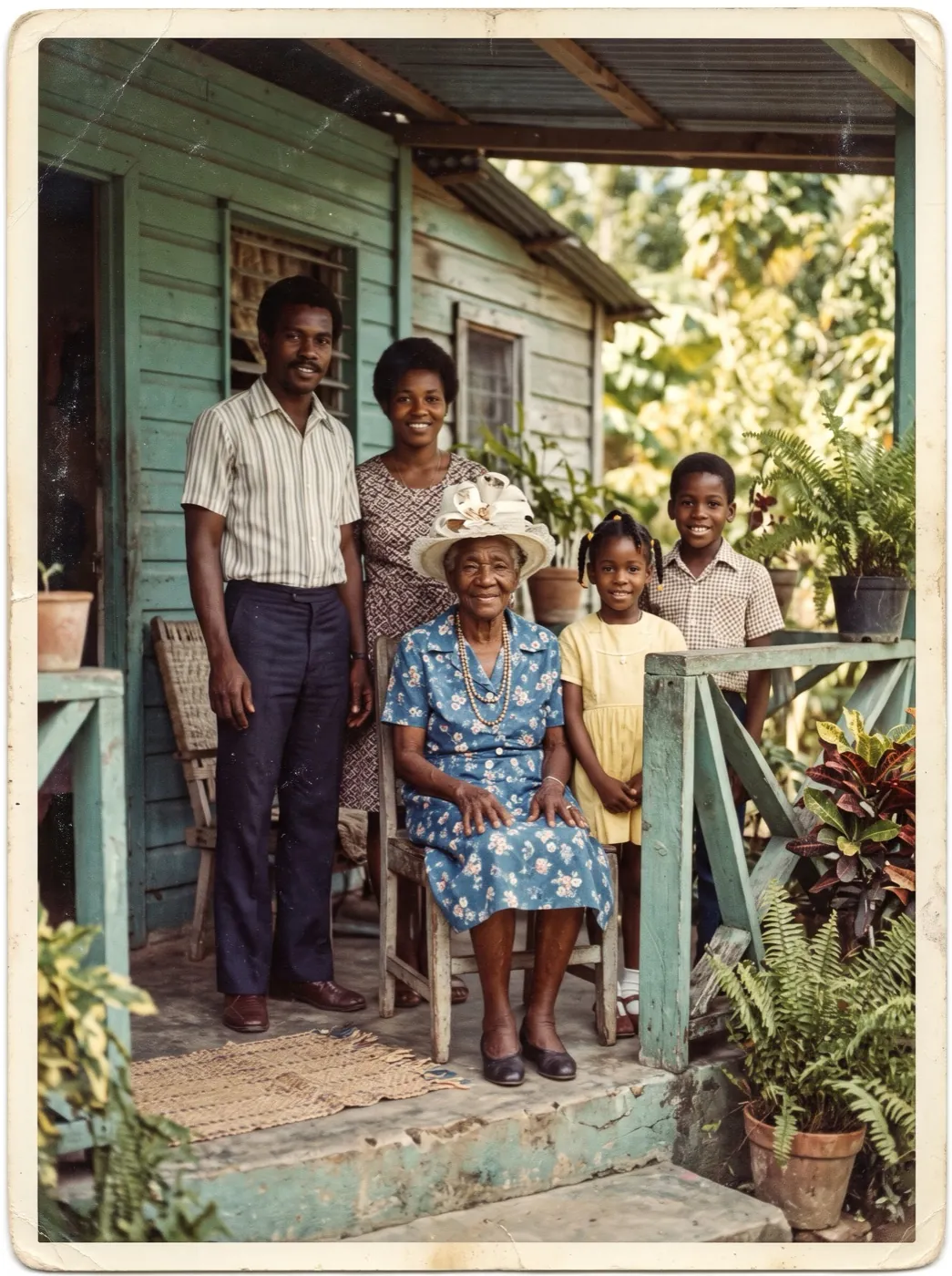
We made this on Hailuo 2.3, a model that holds expressive faces well, at its six-second length. The clip is silent: Hailuo makes picture only. Note that the model kept the print’s white border; if you want the scene to fill the frame, crop the border off before you upload.
| Photo | Prompt that suits it |
|---|---|
| Portrait of one person | She blinks, smiles softly and tilts her head a little. |
| Couple | They look at each other and laugh, his hand moves to her shoulder. |
| Group or family | Everyone smiles, the children wave, a breeze moves the plants. |
| Wedding | The bride laughs, her veil moves in the breeze, petals drift. |
| Outdoor scene | Leaves move in the wind, the water ripples, the camera holds still. |
Five or six seconds is enough. Longer clips give the model more time to drift away from the faces in the print, and old photos have the least detail to hold them in place.
Which model to use
| If you need | Pick | Credits |
|---|---|---|
| Faces and gestures, the clip above | Hailuo 2.3 | 66 · 768P 6s |
| A cheap first try | Seedance 2 Mini | 30 · 480P 5s |
| People that must stay lifelike | Kling 4.0 | 180 · 720P 5s |
 Hailuo 2.3
 Seedance 2 Mini
 Kling 4.0
When a face changes
| What you see | Why | What to change |
|---|---|---|
| A face looks like someone else | Too little detail in the face, or too much motion. | Crop closer, upscale the copy, and ask only for a smile or a blink. |
| Scratches move or flicker | The model read them as part of the scene. | Repair the still with the photo restorer first. |
| The photo looks like a print on a table | The copy was tilted, or shows the table around it. | Shoot straight from above and crop to the picture. |
| Colours shift during the clip | A strong colour cast in the copy. | Even out the cast, or use the colorize effect for black and white. |
Open the porch example with the photo, prompt and model set, then swap in your own print.
FAQ
Can I animate an old photo taken with my phone?
Yes. Lay the print flat by a window, hold the phone straight above it with the flash off, and crop off the table. Glare and a tilted angle are the two things to avoid.
Should I restore the photo before animating it?
Yes, if it has scratches, dust or tears. The video model treats them as part of the scene, so they can move or flicker. Repair the still first, then animate the clean copy.
What motion looks natural on an old family photo?
Small, posed motion: a smile, a laugh, a wave, a glance, a breeze in the background. Big actions make the model invent too much, and that is when faces change.
Can I add colour to a black and white photo?
Yes. The colorize and animate effect adds colour and motion in one run. If you only want colour, colourize the still first and animate it afterwards.
Will the clip have sound?
Only if you pick a model that makes sound. The example here was made on Hailuo 2.3, which makes picture only, so it is silent.